Log in / Become a member
 EN
EN



No more fumbling with your phone. No more robotic responses that miss the vibe. Skull AI is here, and all you have to do is say two words.
Your earbuds just got a whole lot smarter. Skull AI is Skullcandy's built-in AI assistant, powered by OpenAI through a partnership with Bragi, and it lives right inside the Skullcandy App. Ask it anything. Control your music. Get real answers in real time. Hands-free, voice-first, and 100% built for how you actually live.
Two words unlock all of it: "OK, Skully."
WHAT IS SKULL AI?
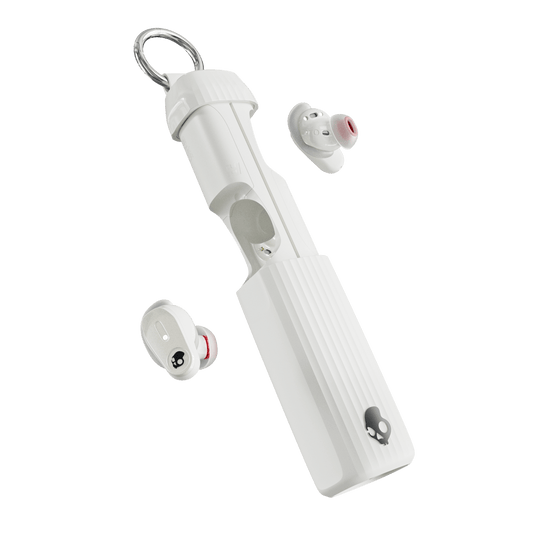
Skull AI is a conversational AI assistant built into the Skullcandy App and available on compatible Skullcandy products, starting with the Method 540 ANC. It converts your voice to text, runs it through ChatGPT, and delivers a natural, human-sounding response straight to your ears.
It is not a basic voice command system. It does not read back your calendar in a robot voice. It actually thinks, responds naturally, and keeps up with the conversation you are already having.
Think of it as a smart friend who is always in your corner, always in your ears, and always ready to help.
HOW TO SET UP SKULL AI
Getting started takes about two minutes. Here is how:
Step 1: Grab a compatible product. Skull AI is currently available with the Method 540 ANC and other Skull AI-compatible products. Not sure if yours qualifies? Check the product page or the Skullcandy App.
Step 2: Download or open the Skullcandy App. Available on iOS and Android. If you already have it, make sure it is updated to the latest version.
Step 3: Connect your headphones. Open the app and pair your compatible Skullcandy product via Bluetooth.
Step 4: Find Skull AI in the app. Once connected, Skull AI will appear as a feature in your Skullcandy App dashboard. Toggle it on.
Step 5: Start your free trial. New users get a 90-day free trial. After that, Skull AI is available for $4.99/month or $49.99/year. You can also disable the feature anytime inside the app.
Step 6: Say "OK, Skully." That is it. You are live. Ask away.
WHAT CAN SKULL AI DO?
Pretty much anything you can ask ChatGPT. A few examples:
- "OK, Skully, where can I get good tacos in Brookyln?"
- "OK, Skully, turn my volume down a little."
- "OK, Skully, what is the weather looking like in London today?"
- "OK, Skully, recommend a playlist for a long skate session."
- "OK, Skully, what movies are worth watching this weekend?"
It also handles all the same voice UI controls you already know from "Hey, Skullcandy" commands, like adjusting volume, skipping tracks, and managing calls. Skull AI just makes all of that smarter and more conversational.
Your full chat history from each session is also saved as text inside the app so you can scroll back and reference anything Skully said.
WHAT SKULL AI CANNOT DO
Real talk: Skull AI is powerful, but it has some limits worth knowing upfront.
It cannot process image requests, creative generation, or productivity tasks like building a spreadsheet. It also cannot open or control other apps, so asking it to pull up Spotify or send a text is outside its lane for now. And while it remembers everything within a single conversation, it does not keep a history of past sessions. Each conversation starts fresh.
WHY SKULL AI HITS DIFFERENT
Most phone assistants feel like talking to a kiosk. Skull AI actually feels like talking to someone. It responds naturally, keeps the conversation going, and does not make you repeat yourself three times before it gets it right.
It is backed by the same OpenAI technology behind ChatGPT, wrapped in a voice experience designed around the way Skullcandy users actually move through their day. Whether you are dropping in on a halfpipe, grinding through a study session, or commuting with your headphones in, Skully has you covered without ever touching your phone.
Smart tech. Real personality. That is the move.
GET SKULL AI
Ready to upgrade your ears? Skull AI is available now in the Skullcandy App with the Method 540 ANC. Start your 90-day free trial and hear what the future sounds like.
Shop Method 540 ANC → Download the Skullcandy App →